Hyrveliq
Anchor Library
Anchor Library
Couldn't load pickup availability
-
Problem Statement
As learners build larger HTML and CSS pages, it becomes harder to keep every section organized. A page may begin with clean markup, but after adding cards, text blocks, contact areas, and repeated sections, the code can become harder to follow. CSS rules may appear in different places without a clear reason, which makes later edits feel confusing. Learners may also struggle to keep page sections visually connected while still giving each area its own role. Anchor Library was created for learners who want a steadier system for arranging, reviewing, and refining HTML/CSS page parts. -
Solution
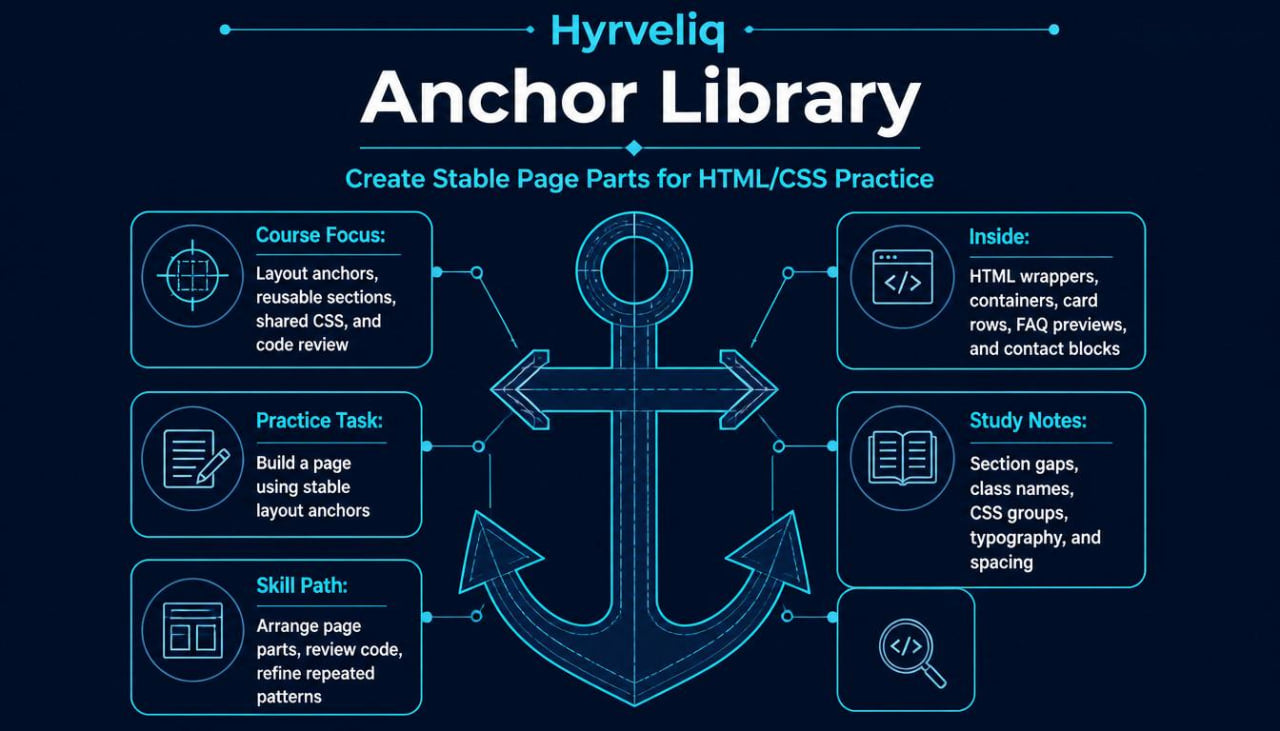
Anchor Library gives learners a structured course path built around dependable HTML and CSS patterns. The course explains how to create stable section foundations, reusable layout anchors, organized class names, and practical reference materials. Learners study how to connect page parts through shared spacing, typography, containers, and content blocks. Each module shows how a single section can be written, styled, reviewed, and then adapted for a larger page. The course helps learners build a calmer workflow for creating HTML/CSS layouts with more order and less guesswork. -
What’s Inside
Anchor Library includes a detailed set of lessons, modules, examples, and study materials focused on turning reusable HTML/CSS parts into a steady page-building system. The course begins with an orientation module that introduces the idea of layout anchors. In this course, an anchor is a stable page part that helps the rest of the layout stay organized, such as a main content wrapper, section container, card group, heading block, or spacing pattern.
The first module focuses on HTML anchors. Learners study how to build dependable markup structures that can be reused across course pages, information pages, and contact sections. The materials cover main wrappers, inner containers, grouped text areas, section headings, list blocks, card rows, and simple footer structures. Each example is written to show how clean HTML can create a stronger base before styling begins.
The second module focuses on CSS anchors. Learners create shared rules for containers, section spacing, typography, card padding, background areas, and link styling. The course explains how repeated CSS patterns can reduce clutter and make a stylesheet easier to review. Learners compare scattered styling examples with organized versions, then practice rewriting rules into clearer groups.
The third module introduces anchor-based section building. Learners create several reusable sections, including an opening area, course overview block, learning path section, resource group, FAQ preview, and contact prompt. Each section is treated as a stable pattern that can be adjusted without losing its structure. The goal is to help learners understand how repeated HTML and CSS choices can guide a full page.
The fourth module explores spacing and alignment anchors. Learners study how consistent section gaps, container widths, and inner spacing values can make a page feel more balanced. The materials explain how margin, padding, width, and alignment choices affect the relationship between sections. Practice tasks invite learners to adjust spacing values and review how each change affects the whole layout.
The fifth module focuses on reference building. Learners create a small set of personal notes for recurring HTML patterns, CSS groups, class naming ideas, and layout review questions. These notes are designed to help learners return to important ideas while practicing. The course encourages learners to write references in their own words, which can make the material easier to revisit later.
The sixth module brings the course together through a guided page build. Learners create a structured HTML/CSS page using several layout anchors. The page includes a main opening area, course collection preview, learning notes, reusable cards, FAQ area, and contact section. The build is divided into planning, markup, styling, spacing review, and final code review.
Anchor Library also includes practice prompts after key modules. These prompts ask learners to rebuild a section, rename classes, group CSS rules, refine spacing, and compare two layout versions. Supporting materials include section templates, class naming notes, spacing worksheets, and code review prompts.
-
Who Is This For?
Anchor Library is for learners who already understand HTML and CSS basics and want a stronger method for organizing page parts. It fits people who can build individual sections but want to create a more stable structure for full-page practice. It is also useful for learners who feel their code becomes harder to review as a page grows.
This course may fit students, creative learners, small site builders, course page builders, and anyone who wants to develop a more organized HTML/CSS workflow. It is especially suitable for learners who enjoy structured references, reusable patterns, and steady page-building habits.
Anchor Library is not focused on complex development systems or third-party tools. It stays centered on HTML/CSS structure, reusable section patterns, shared styling rules, and layout review. It is a fitting step for learners who want their pages to feel clearer from the first section to the final contact area.
- What You’ll Learn
- How to create stable HTML structures for repeated page sections
- How to build reusable wrappers, containers, and grouped text areas
- How to organize CSS into clear style groups
- How to create shared spacing rules across a page
- How to write class names that describe each section role
- How to build reusable cards, resource blocks, and FAQ previews
- How to connect several sections through consistent layout choices
- How to review spacing, typography, and section order
- How to create personal HTML/CSS reference notes
- How to adjust repeated patterns without breaking the page structure
- How to build a full page from reusable layout anchors
- How to prepare for the final Hyrveliq library tier
-
Refund Terms
Anchor Library includes a 30-day refund window. Learners may request a refund within 30 days according to the store’s refund terms. This gives time to review the course materials and decide whether the learning format fits personal study needs.
Self-paced learning overview
- 🗂️ Digital file available after purchase
- ♾️ Long-term availability
- 🔐 Secure checkout
- 🗓️ Content updated in 2026
Do I need prior coding knowledge?
Do I need prior coding knowledge?
No prior coding background is required for beginner-friendly courses. Each course explains core ideas in a calm, clear way, with examples that help learners follow the structure of HTML and CSS.
What materials are included in the courses?
What materials are included in the courses?
Depending on the tier, learners may receive lessons, modules, written materials, layout examples, practice tasks, code references, and page-building exercises.
Can I study at my own pace?
Can I study at my own pace?
Yes. Hyrveliq courses are designed for self-paced learning, so learners can review materials, revisit examples, and move through modules in a rhythm that fits their schedule.
Share